People · Core HR
Every employee, one record you can trust
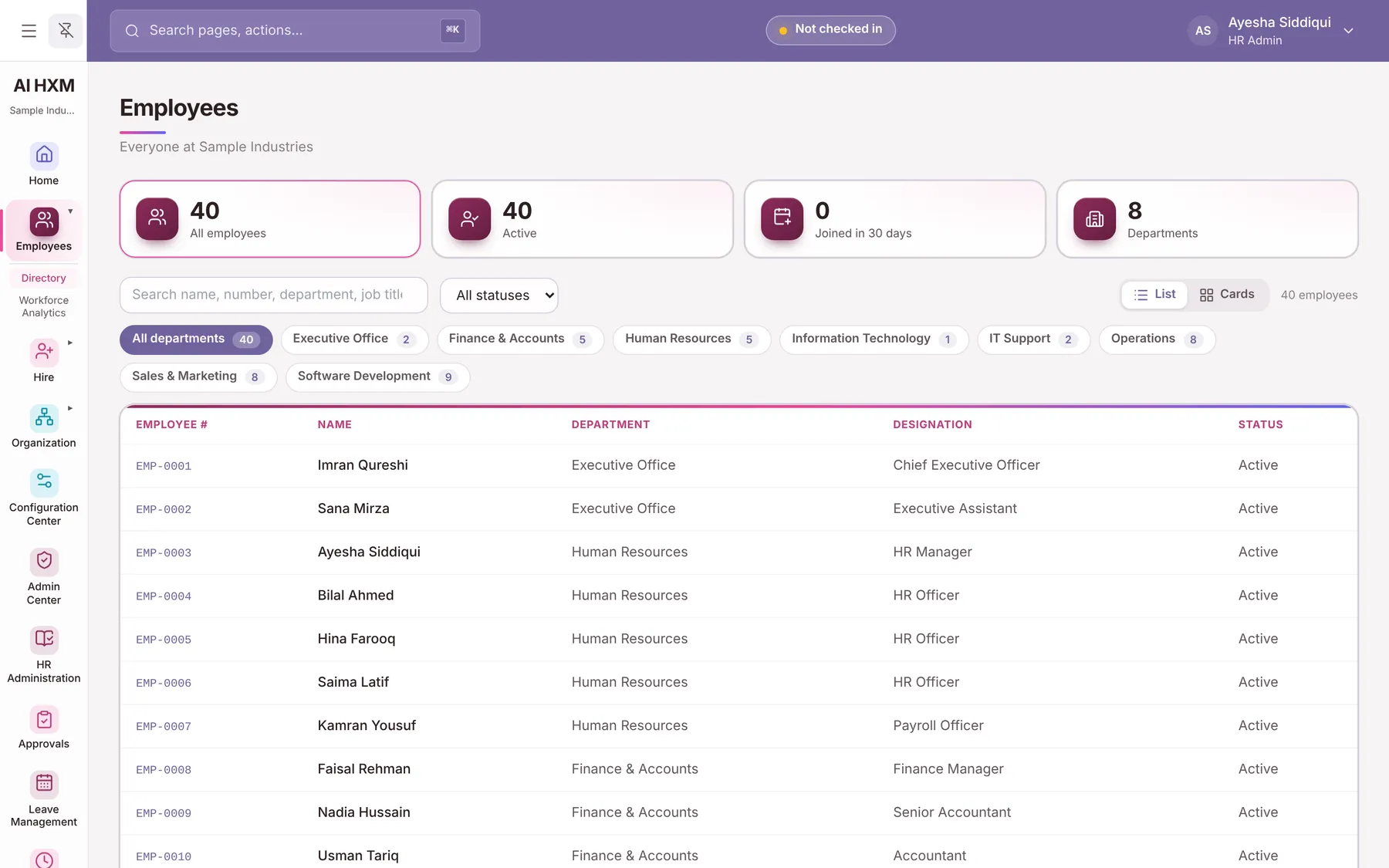
Personal, job, statutory and bank details, documents and history sit in a single employee file. Change something once and leave, attendance, payroll and reports all see it.
The problem
What this solves
Records scattered across sheets
Names, CNICs and bank details live in different files that drift apart.
Paper-trail document chasing
Contracts and ID copies expire without anyone noticing.
Slow data fixes
Every correction is an email to HR, with no record of who changed what.
Capabilities
What Core HR includes
Every capability is labelled with its status so you know what works today.
The employee file
- Complete Employee Profiles
- Personal Information
- Contact Information
- Employment Information
- Job Information
- CNIC and NTN
- EOBI Information
- Bank Accounts
- Emergency Contacts
- Employee Photographs
- Languages
- Employee History
Records and documents
- Employee Documents
- Document Expiry
- Medical Records
- Disciplinary Records
Getting people in and keeping data right
- Quick Hire
- Guided Hire
- Bulk Employee Import
- Employee Self-Service
- Employee Data Change Requests
- HR Approval
- Custom Fields
- Employee Form Designer
- Availableworks in the product today
- Needs your setupworks once your company enters its own data, rates or devices
- Partly builtsome of it works
- Upcomingplanned, not in the product yet
How it works
How a data change travels
- 1RequestThe employee or HR proposes a change.
- 2ReviewHR sees the old and new value side by side.
- 3ApproveA second person approves; nobody approves their own request.
- 4RecordedThe record updates and the history keeps who, when and why.
In practice
Practical use cases
Hire in minutes
Quick Hire captures the essentials; the guided wizard adds pay, bank and statutory details when you are ready.
Move from spreadsheets
Bulk import brings existing employees in with checks that catch bad dates, genders and duplicates.
Let people fix their own details
Employees request a change to their address or phone; HR approves it and the history keeps both values.
Business benefits
Why it matters
One source of truth
Payroll, leave and reports read the same record.
Fewer errors
Format checks on CNIC, phone, email and dates stop mistakes at the door.
Always traceable
Every change is in the history with the person who made it.
Configuration
Set it up your way
- Add your own fields without code
- Arrange the employee form into sections and decide which fields show or are required
- Set the employee numbering pattern
- Choose which documents are mandatory and when they expire
FAQs
Core HR questions
Can we import our existing employees?
Yes. Bulk import accepts a spreadsheet and checks it row by row before anything is saved.
Can employees edit their own data?
They can request changes to their own details. HR approves them, so the record stays controlled.
Can we add fields we need, like a medical insurance number?
Yes. Custom fields can be created by your HR team and placed on the employee form.
See Core HR set up for your business
Book a personalised demo and we will walk through it with your own scenarios.